 Rank One Pro
Rank One Pro
Rank One Pro
When camps are created using the Rank One software, school districts are given a registration link that can be provided to the public so parents and guardians can register their students for camps.
Inside Rank One, hold your cursor over the Camps tab and select Manage Camps. Your district's registration link can be found on this page after one or more camp brochures have been built.
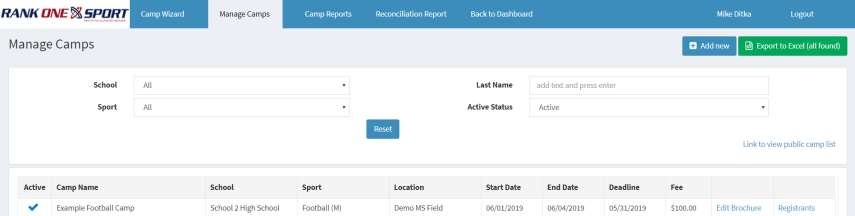
The camp registration link is displayed on the Manage Camps page.
Copy the registration link and share it with parents and guardians. You can post it on your school or district website, include it in emails, or distribute it through other communication channels.