 Rank One Pro
Rank One Pro
Rank One Pro
Fan Alerts can be used to draw viewers' attention to important messages regarding the district, school, and/or team. Fan Alerts are displayed on the right side of the web portal.
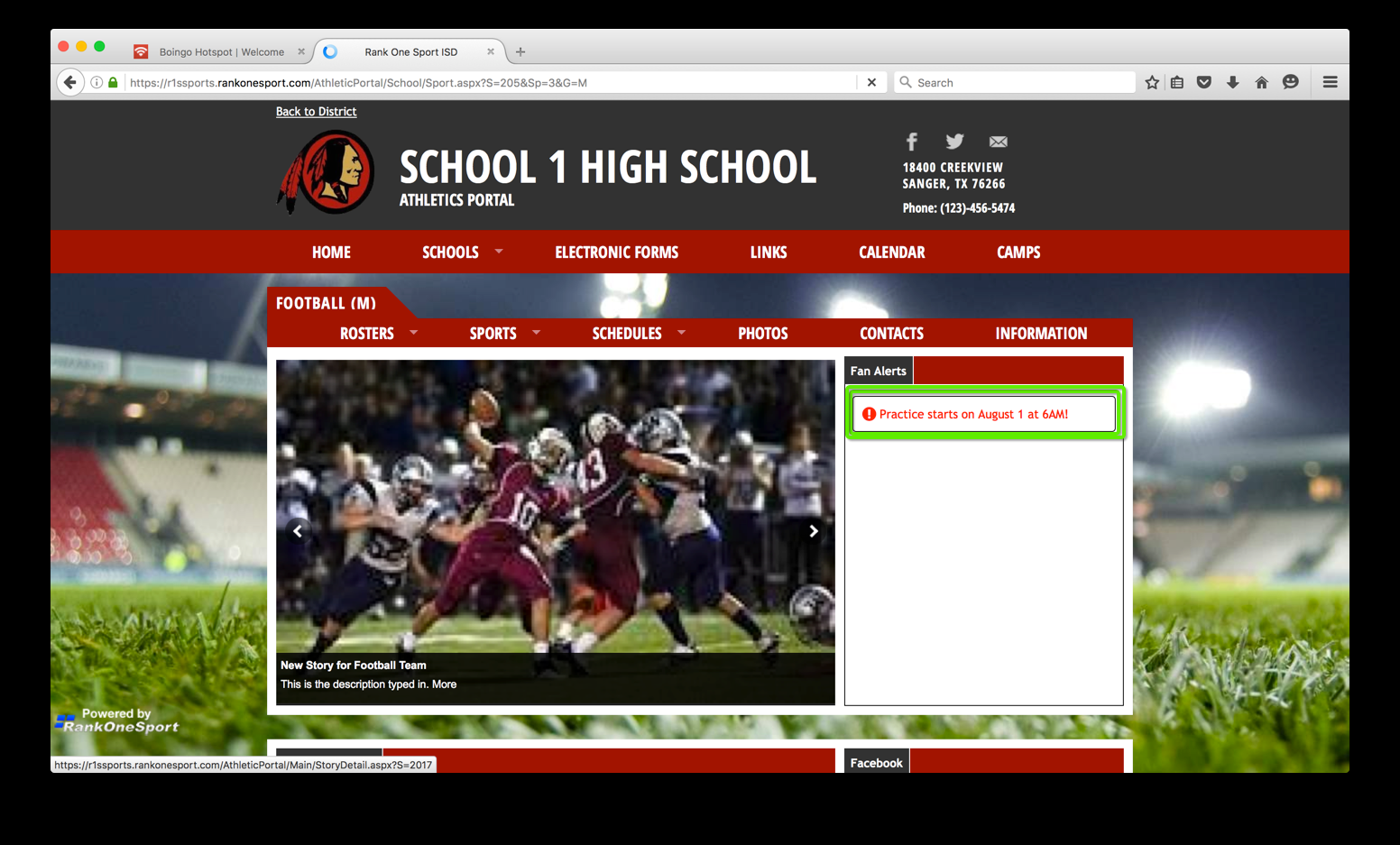
A Fan Alert displayed on the right side of a sport page on the web portal.
Log in to the Athletic Portal control panel.
Select the school and/or sport for the page where the Fan Alert will appear.
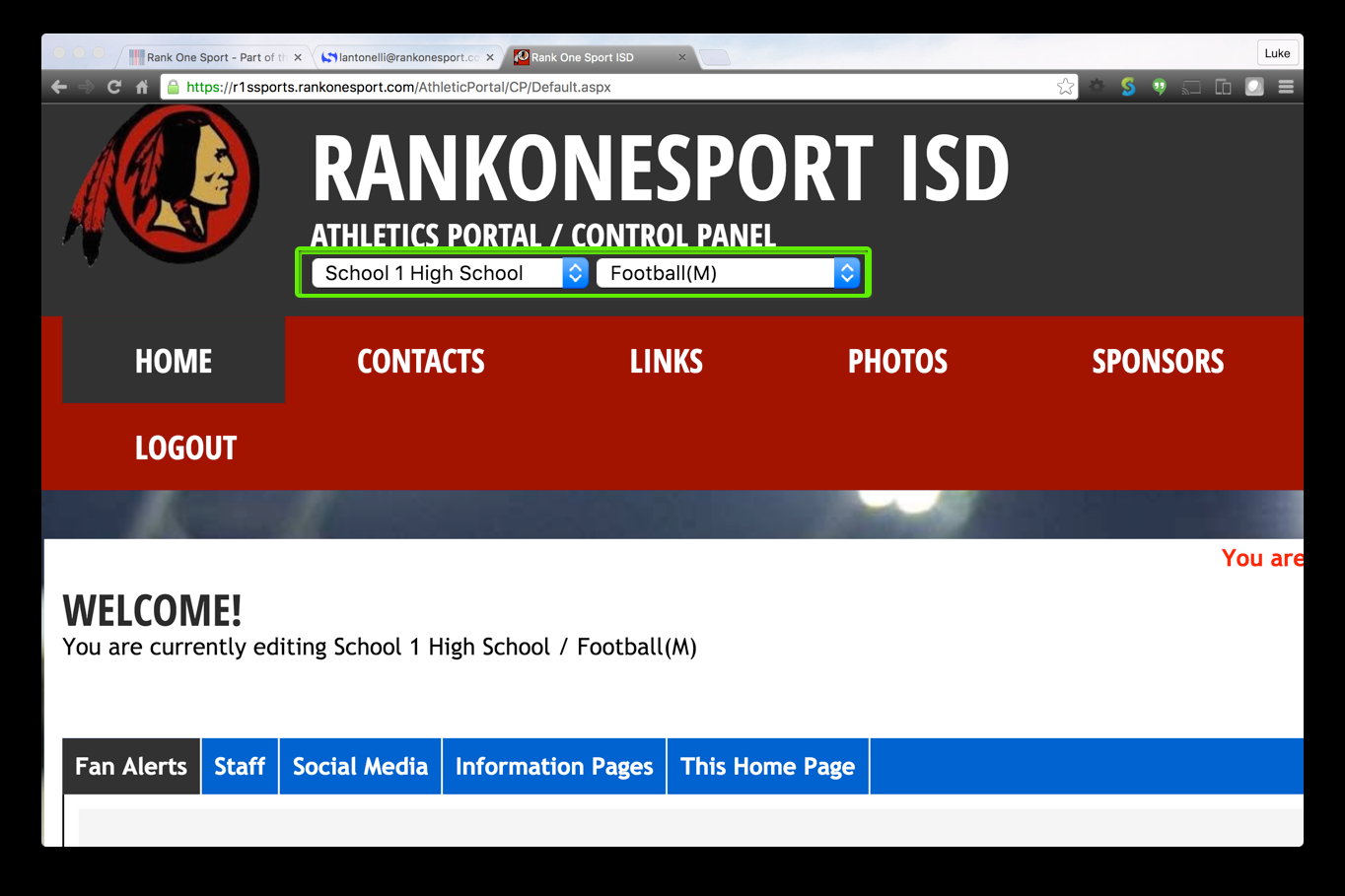
Use the dropdowns to select the school and sport in the control panel.
Click the Fan Alerts tab, then click the Add Fan Alert button.
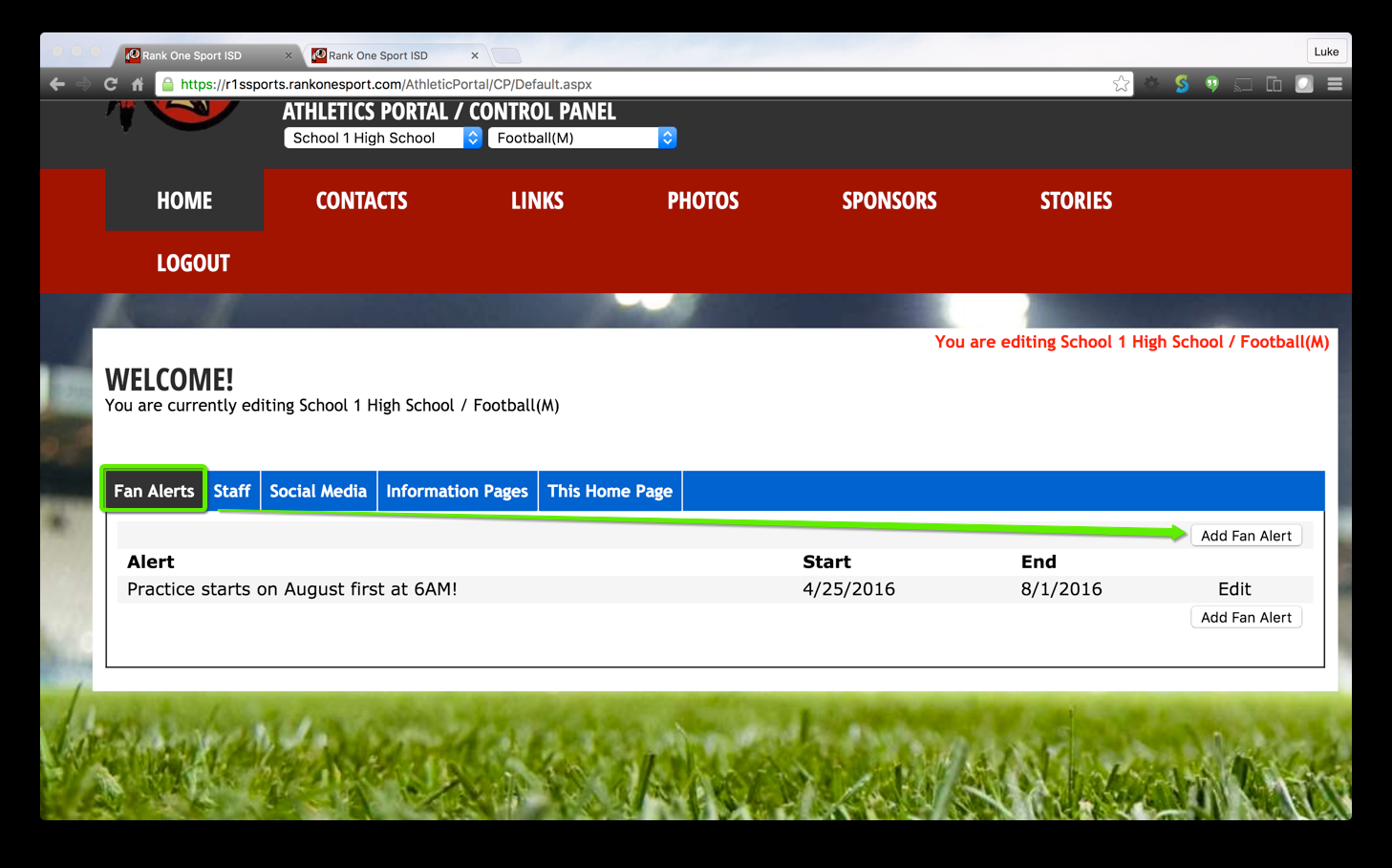
The Fan Alerts tab showing existing alerts and the Add Fan Alert button.
Fill in the Fan Alert details:
When finished, click Submit.
Log in to the control panel and select the school and/or sport for the page where the Fan Alert appears. Click the Fan Alerts tab, then click Edit on the row of the Fan Alert to be removed.
Change the Active radio button to No, then click Submit.
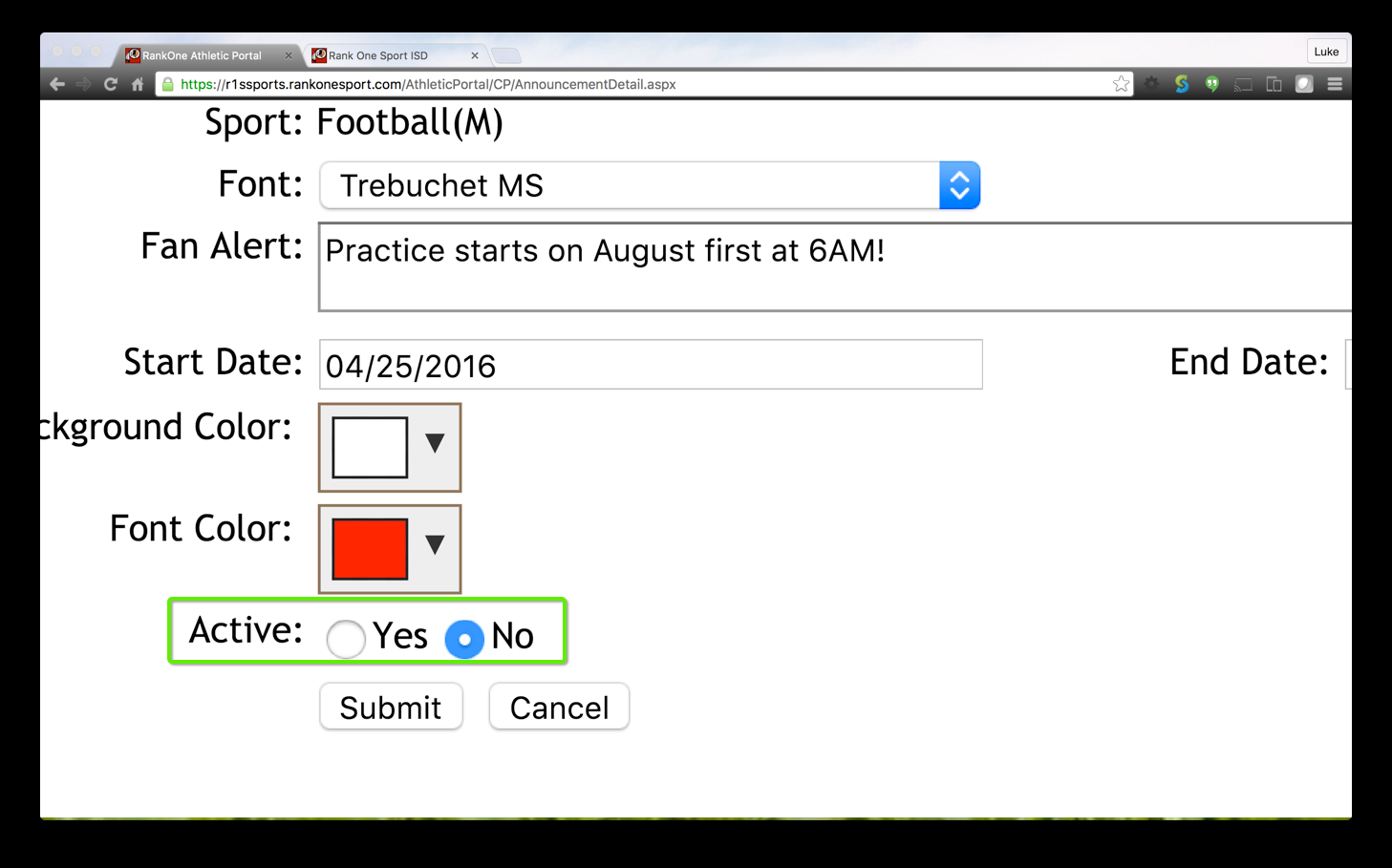
Set the Active option to "No" to remove the Fan Alert from the website.