Rank One Pro
← Back to Rank One Pro

Camp Software Payment Options

Rank One Pro · Last updated May 8, 2026

There are several payment options available during the camp registration process. When registering a student for a camp, the system will present a payment options screen.

1 Initial Payment Options

During registration, two options are available:

  • Pay by credit card
  • Choose to pay later with cash or check

If they pay by credit card, the payment is deposited into the client's account or a check will be sent, and the camper shows a paid balance.

If they choose to pay later, the balance shows the amount the camper owes.
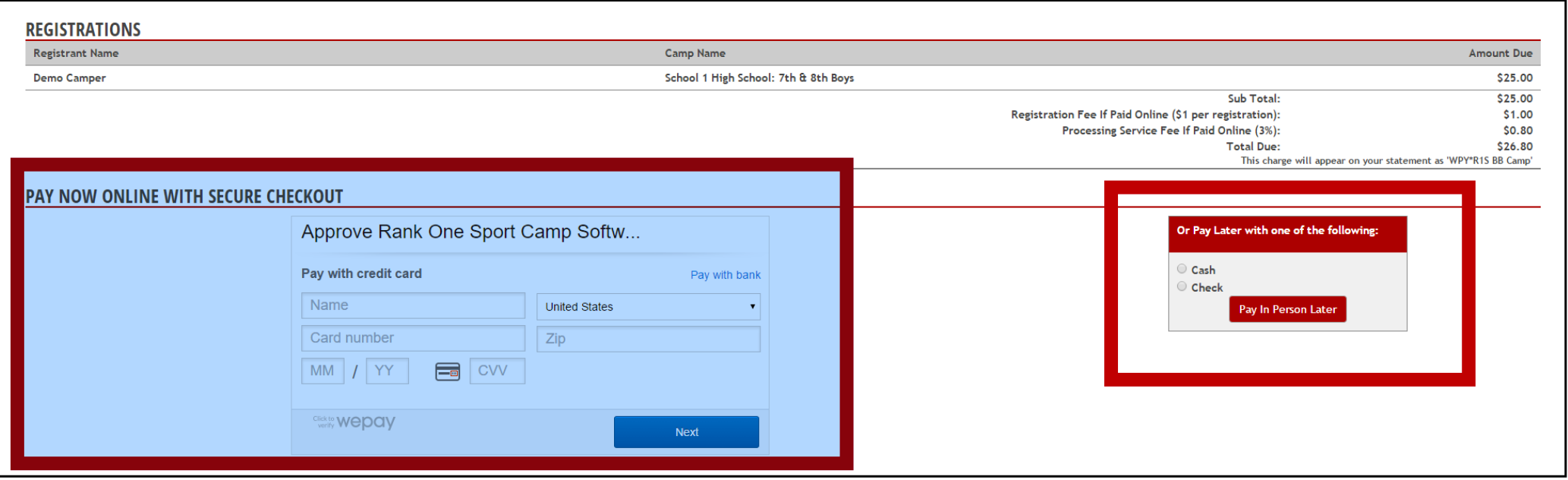
Payment options screen showing credit card and pay later choices
2 View Registrations and Payment Status

Click on the "Manage Camps" tab and click "View Registrants" to see all registrations and their payment status.


Manage Camps tab with View Registrants link List of registered campers with payment status
3 Track Payments

To track payments as they are made, click the Edit tab. The following payment options are available for registrations with unpaid balances:
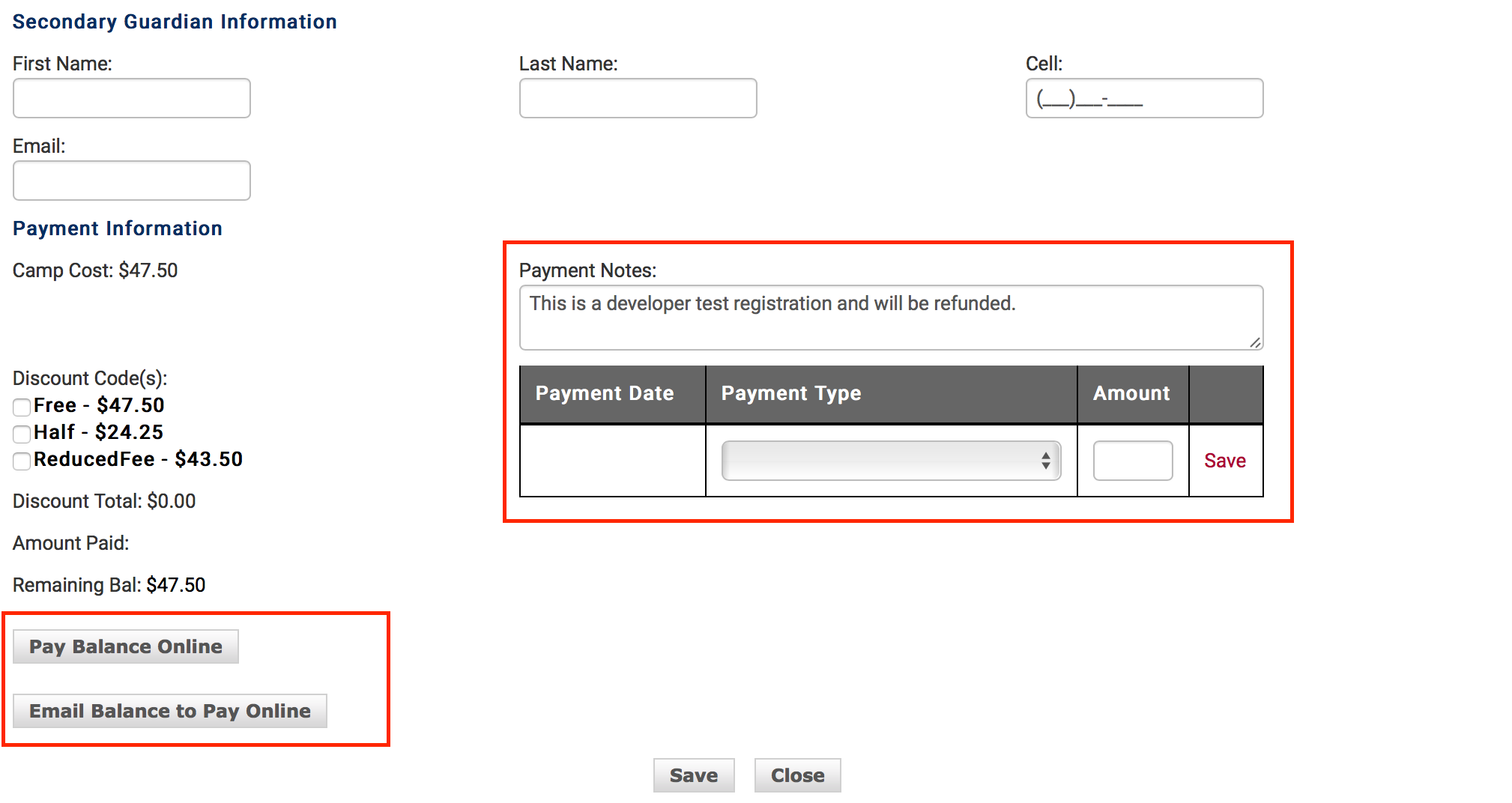
  1. Pay Balance Online — click this tab to accept a credit card payment in person
  2. Email Balance to Pay Online — sends the parent an email with the credit card payment page
  3. Pay by check or cash — use the Payment Type dropdown and enter the amount paid (track check numbers in the Payment Notes box)
  4. Apply a manual discount — use the Payment Type dropdown to show a discount amount
Payment tracking form with payment type options
4 Export Registration Report

Export the camp registration list and payment status using the Coaches Report at the bottom of the registration page.

Coaches Report export option at bottom of page