The following steps will allow you to change your password for both the Rank One website and the Rank One App.
1
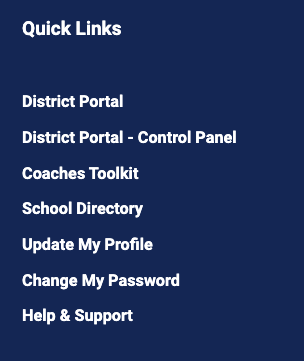
Navigate to Change My Password
Log into the website. Under the Dashboard tab, there is a list of Quick Links. Click on the Change My Password link.
2
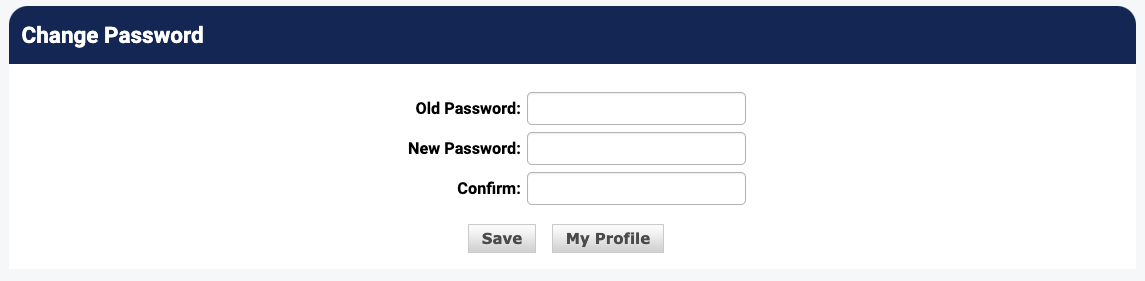
Enter New Password
Enter your old password, then type your new password twice, and click the Save button.
Important: Password Requirements:- Must be at least 8 characters long
- Must contain at least one uppercase letter
- Must contain at least one lowercase letter
- Must contain at least one number
- Must contain at least one special character
- Special characters cannot be used as the first character
Tip: This will update the password for both the website and the Rank One App.