Districts can upload PDFs and links to important documents. Coaches can then access the documents from inside Rank One via the Coaches ToolKit. The link to the toolkit is located on the Dashboard page.
Warning: You must have Administrative Access to add categories and links to the toolkit.
Tip: Documents are district-wide and the same for all campuses. Once added, all coaches will have access to the same PDFs and links.
1
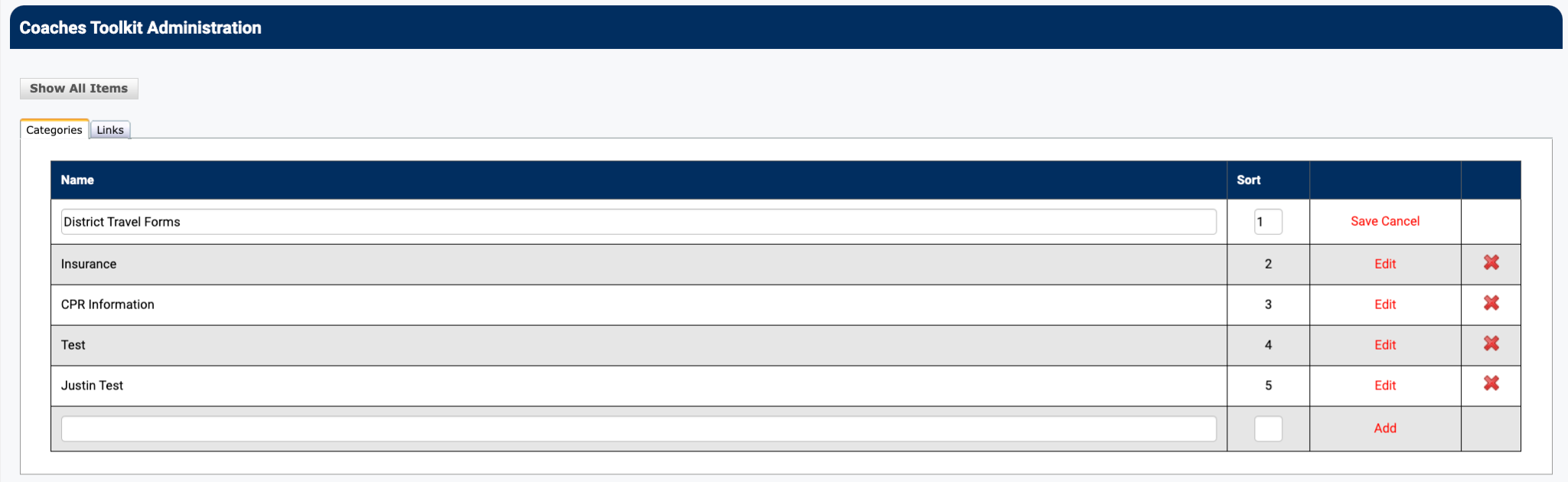
Set Up Your Categories
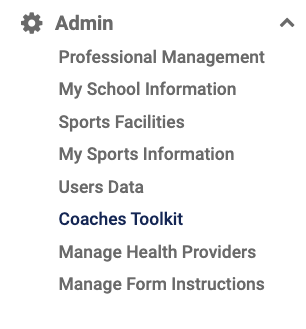
Hold your cursor over the Admin tab and click on the Coaches ToolKit link.
Enter your categories. You can also sort the order they will be displayed.
2
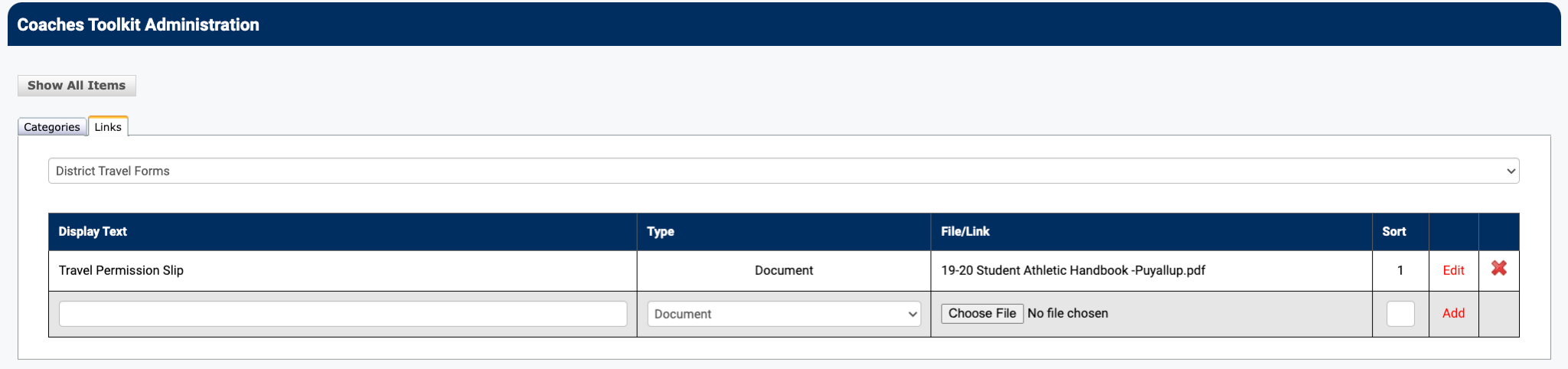
Attach a PDF Document
- Click the Links tab
- Select the Category from the dropdown
- Name the PDF
- Choose the file from your computer
- Enter the sort order
3
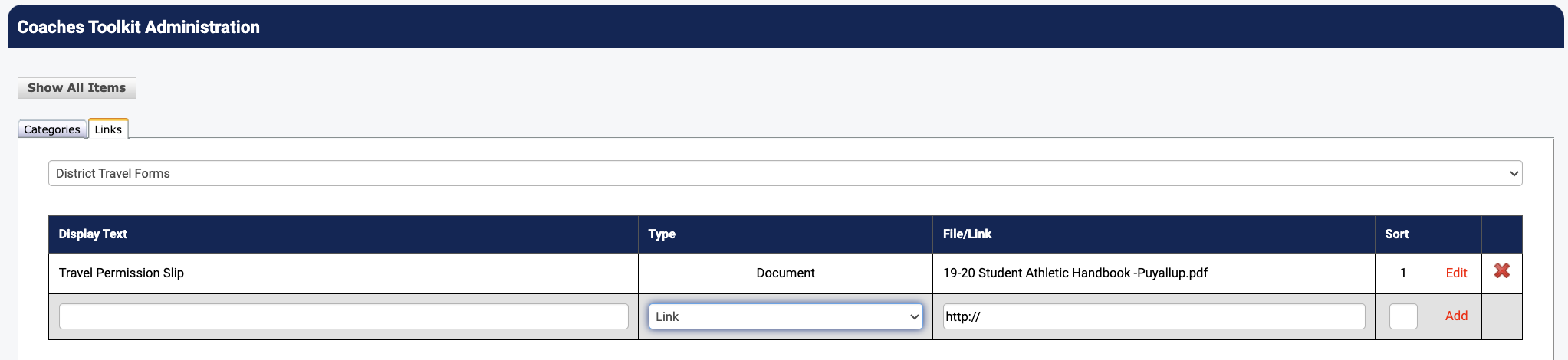
Attach a Link to a Website
- Click on the Links tab
- Select the Category from the dropdown
- Enter the link name
- Change the Type to "Link"
- Enter the web address
- Sort links using the sort box
4
Coaches Accessing the ToolKit
Once categories and links are set up, coaches can access them by logging in and going to Quick Links > Coaches ToolKit.