 Rank One Pro
Rank One Pro
Rank One Pro
The Coaches Certification Program (CCP) delivers required training courses—called modules—to coaches and school staff. You complete the modules online in Rank One and earn a certificate. The key concept: different roles automatically receive different modules. A high school football coach, a junior high volleyball coach, and a DEC member will each see different module lists based on their assigned roles and coaching assignments. This guide explains why you see the modules you do, how to complete them, and the important rules that govern them.
Note: the module names and rules shown here come from the UIL (Texas) setup as an example. Every state organization has its own modules, mappings, and dates—the concepts apply everywhere, but the specific module names shown are UIL-only.
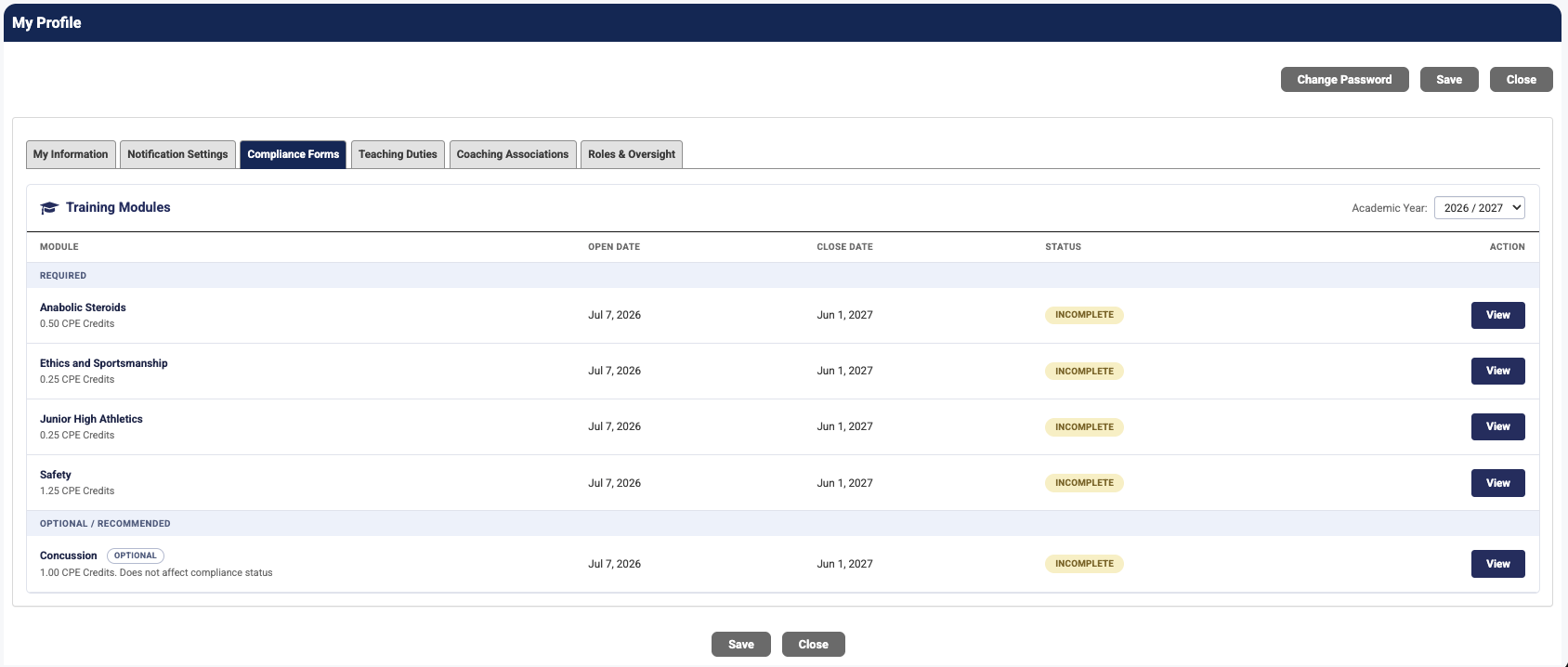
Your modules are located in My Profile → Compliance Forms, in the Training Modules section. Each module displays its open date, close date, CPE credits, and current status. Use the Academic Year dropdown to select the year you want to view.
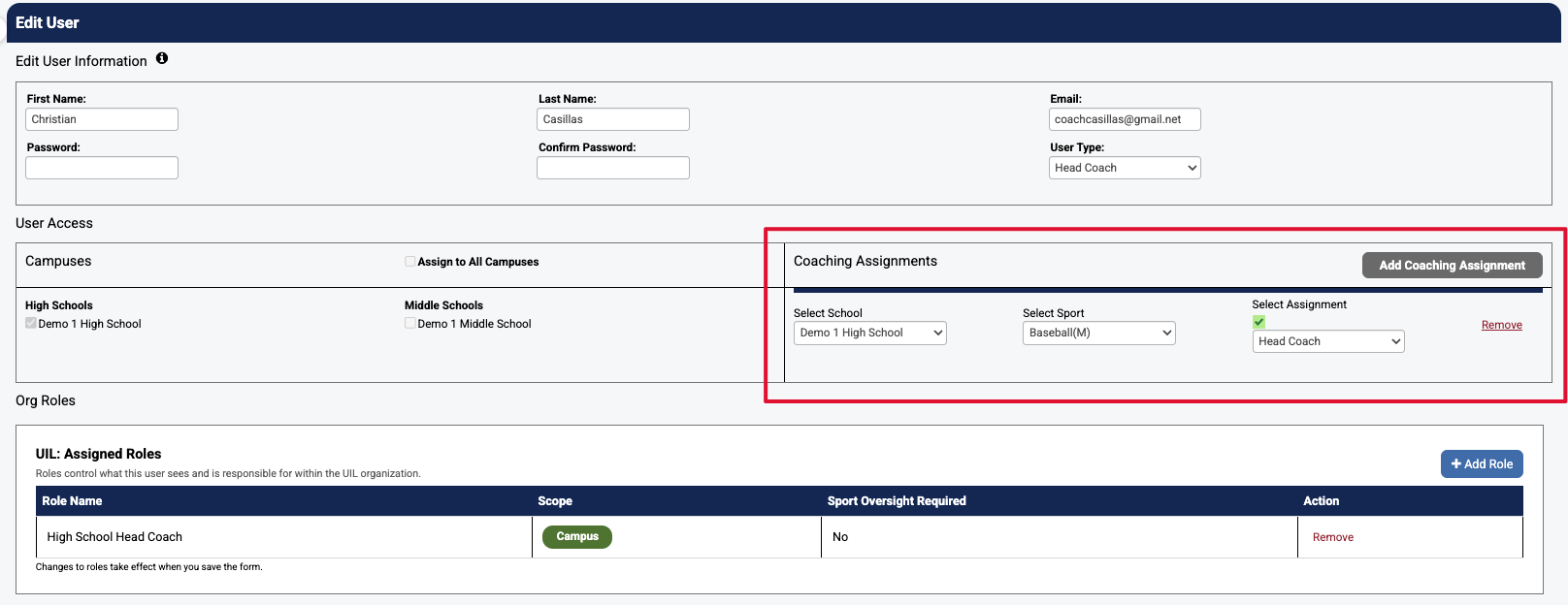
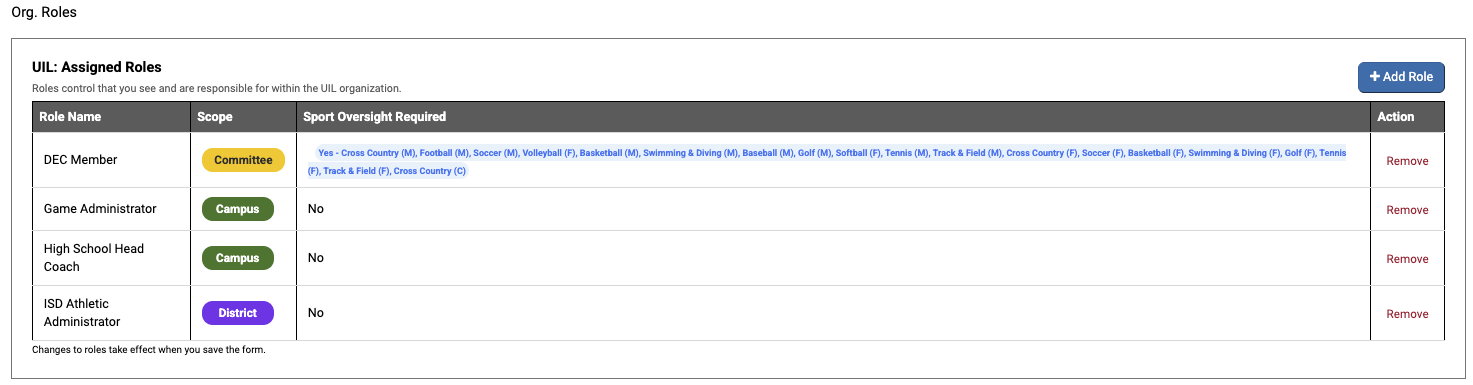
Your module list is assigned automatically based on two factors:
Together, these factors determine your complete module list. If you hold multiple roles, you receive the combined modules for all of them.
Every high school coach (head and assistant) receives four core required modules:
Concussion appears as optional. Additionally, for each sport on your coaching assignments, you receive that sport's specific module. A coach assigned to three sports receives three sport modules on top of the core modules. You must complete every required module—both core and sport-specific—to be compliant.
Junior high coaches (head and assistant) receive four required modules: Anabolic Steroids, Ethics and Sportsmanship, Safety, and one special module—Junior High Athletics—which covers all junior high sports. Unlike high school coaches, junior high coaches never receive sport-specific modules—even a JH coach assigned to six sports receives only the Junior High Athletics module.
Note: Junior high coaches do NOT receive "Constitution and Contest Rules." This is correct and not a system error; in the UIL setup, that module is high school only.
Users with special roles typically receive one or two role-specific modules that match their role. Examples include:
If you hold roles across more than one tier, you receive the combined list and must complete every required module to be compliant.
To complete a module, click the View button next to the module name. Work through the course content and take the required test. Each module has a required passing score (for example, 70%). When you pass, you will see a completion screen displaying your score and confirmation of completion.
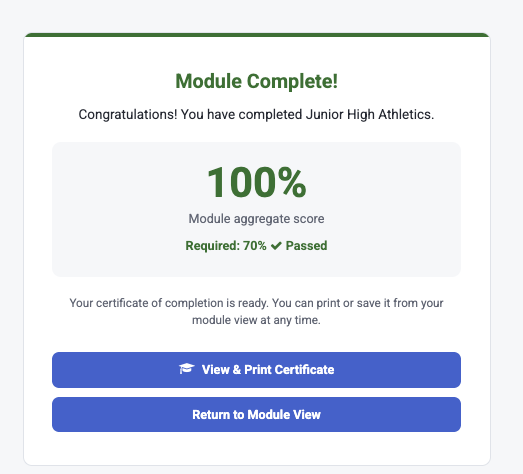
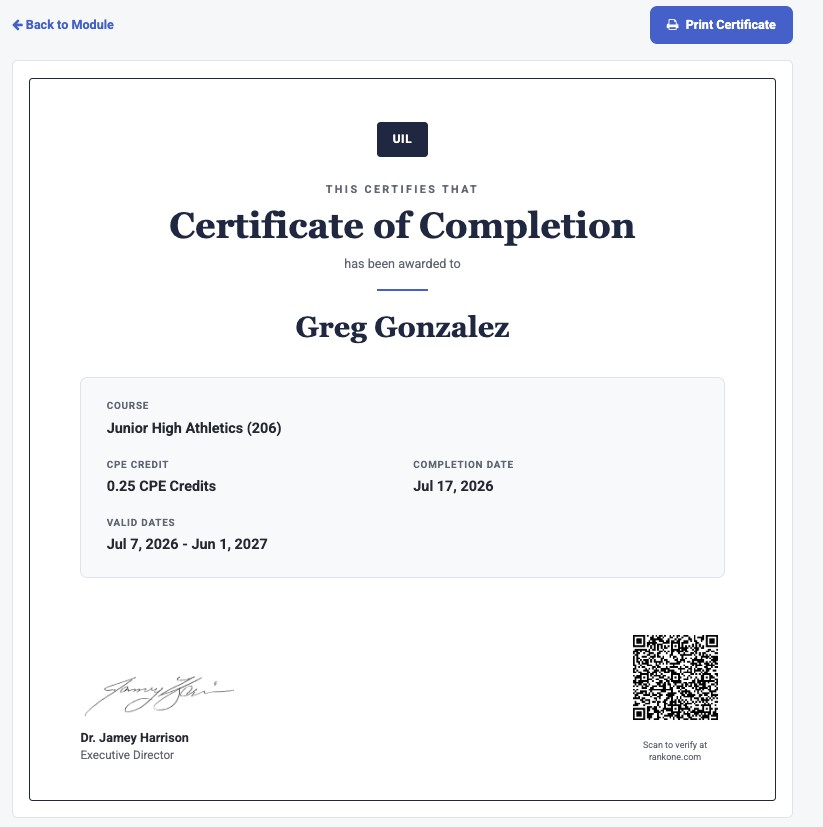
Your certificate is available immediately after passing a module and can be printed or saved anytime from the module view. The certificate displays the course name, CPE credits earned, completion date, valid dates, and a QR code that verifies the certificate at rankone.com.
Open and close dates are enforced: Each module can only be taken within its open/close window, which is set by the state organization. A module cannot be started before its open date or completed after its close date. Modules are not reopened. If you miss the window, contact your Athletic Director about any options available outside the system.
Optional modules never affect compliance: Modules marked as Optional (such as Concussion) do not affect your compliance status. "Optional" is a global setting—a module is optional for everyone who receives it. You do not have to complete optional modules to maintain compliance.
If you change roles or move schools: Modules stay on your list even after a role change (modules are additive only). Current guidance is to complete them anyway. If you move to a new school, completions do not transfer between schools because you will have a new user account at the new school. Your printed or saved certificates are your proof of completion—keep copies and talk to your Athletic Director about how your district handles training completed at a previous school.