 Rank One Pro
Rank One Pro
Rank One Pro
You can hide specific Sports or Teams from your Athletic Portal if needed. For example, if you have Band as an activity in your Rank One account but do not want Band to show up as a Sport on your Athletic Portal, you can remove it from your website.
Log in to your Rank One account. Go to Admin > My School Information > Edit School Information under the applicable campus.
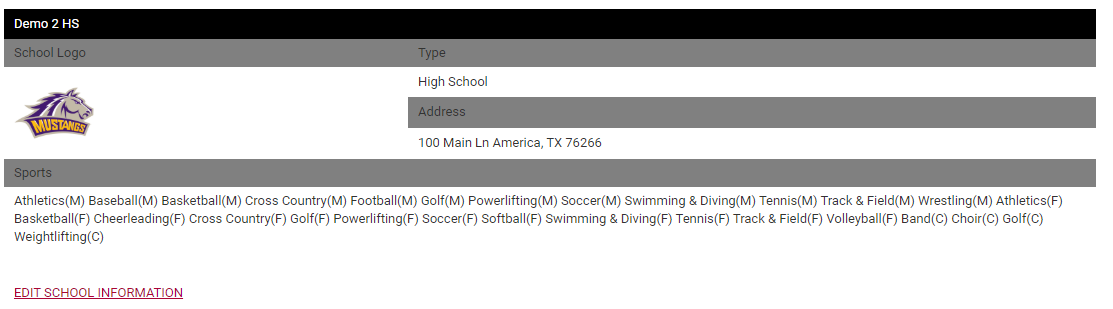
Click on "Select Portal Sports" to view the list of activities associated with that campus.
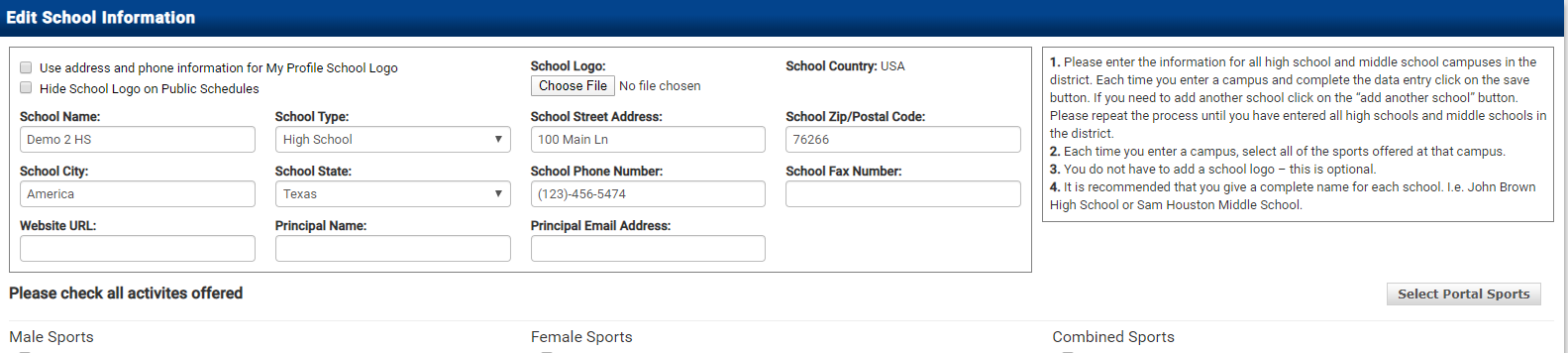
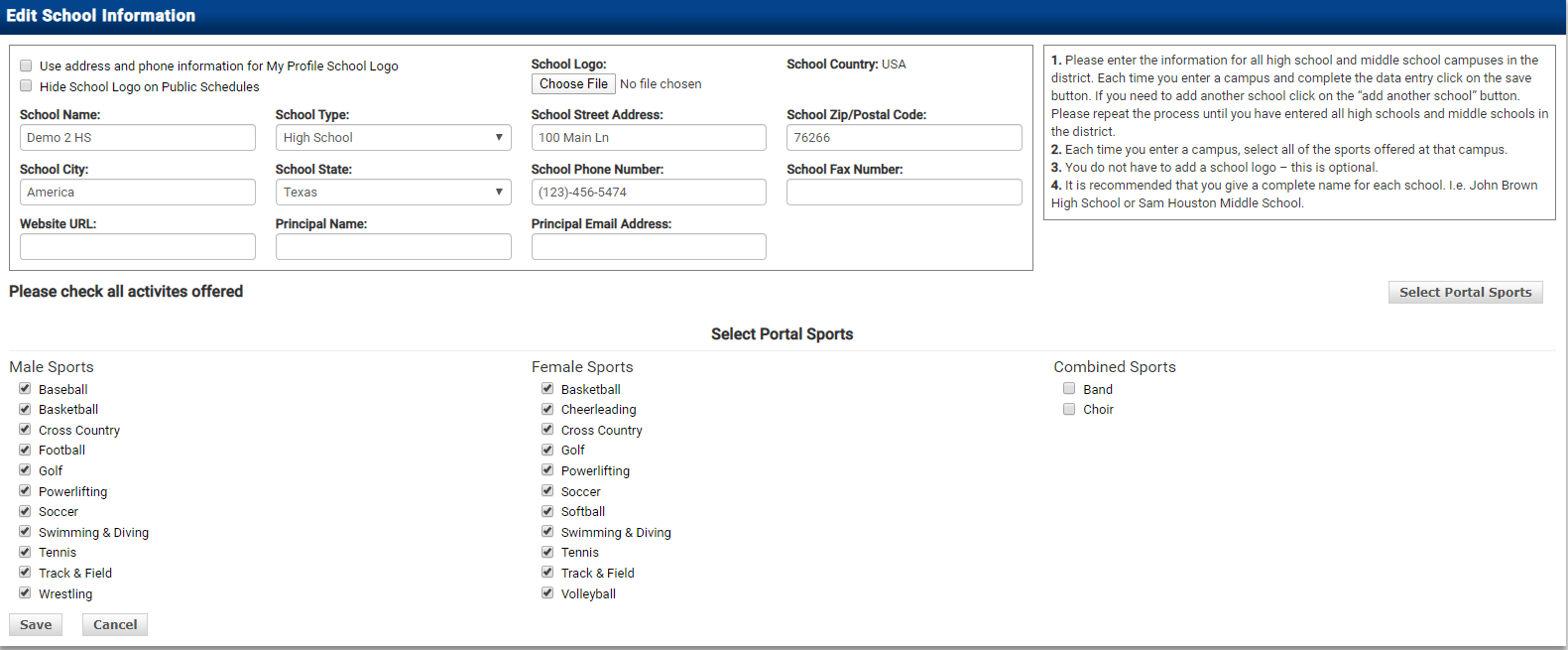
Uncheck the box next to any activity you do not want displayed on your Athletic Portal (e.g., Band). Click Save.
You can hide specific Teams from your Athletic Portal if needed. For example, if you have multiple 9th Grade Teams but you only want one Team to show up on the Web Portal, you can hide the other Team(s).
Log in to your Rank One account. Go to Admin > My Sports Information and click View next to the applicable campus.
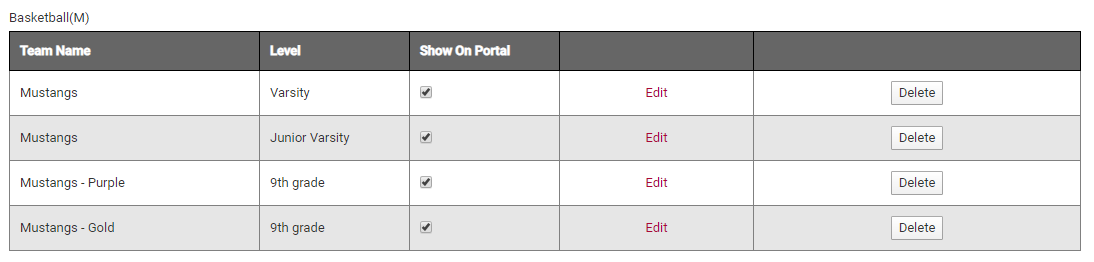
Find the Sport or Activity, then click Edit next to the Team you would like to hide.
Uncheck the "Show On Portal" box, then click Save.
