 Rank One Pro
Rank One Pro
Rank One Pro
This tutorial explains how to add home venues (facilities) to your Rank One account. You must have Athletic Director or Assistant Athletic Director access to add or edit home facilities.
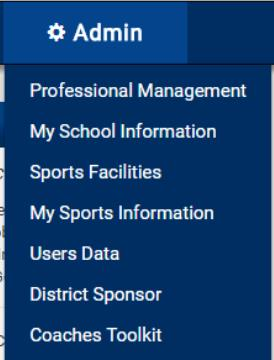
Hold your cursor over the Admin tab and select Sports Facilities.
Click the VIEW button next to the school where you want to add a home venue.

Once you click the VIEW button, you will see the list of existing home venues. If no venues have been added, select Add Another Facility.
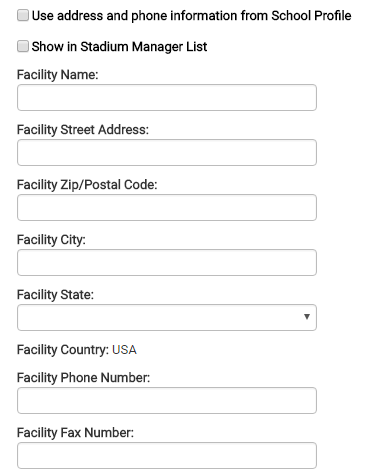
Enter the Name and Address of the home venue. If the venue has the same address as the school, you can place a check in the "Use address and phone information from School Profile" box.
Once the venue name and address have been added, click VIEW from the list of schools below that will use this facility as a home venue. You can add the facility to one or all of the schools.
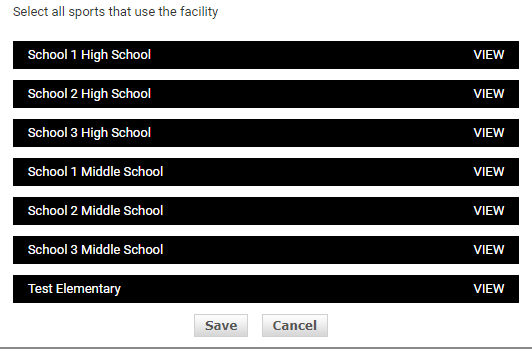
Click VIEW next to each school that uses this facility.
Select the sports that will use the facility as a home venue for each school. Once you have selected all of the schools and sports that will use the facility, click the Save button at the bottom.
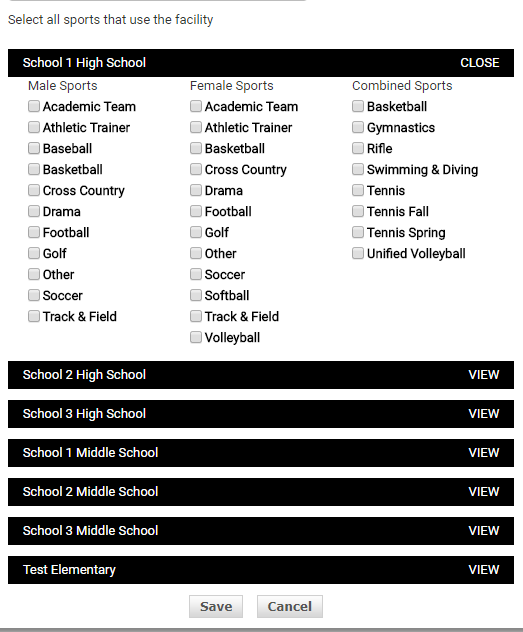
Example: If a district has a stadium where all schools play home football games, it can be added to all schools at one time.