 Rank One Pro
Rank One Pro
Rank One Pro
Forms Entry Mode saves time when manually entering forms information. This mode allows you to quickly check off athlete physicals and other listed forms directly from the Master List.
Hold your cursor over the Student Management tab and select "Master List".
Select your school from the dropdown, then click the "Forms Entry Mode" button. The Master List will populate and you will now be in Forms Entry Mode.

The Master List toolbar with the Forms Entry Mode button
Find the correct student from the Master List and click on their Name. This will automatically bring up their Forms tab for you to check off the appropriate form(s).
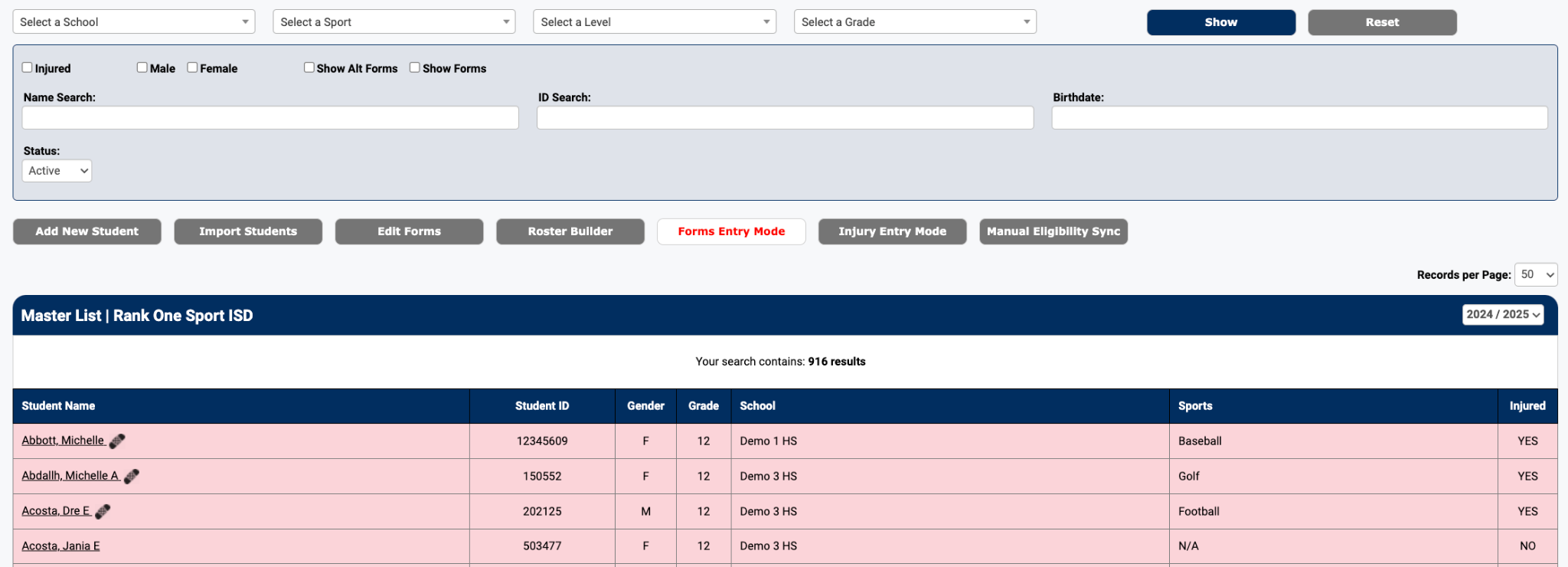
The Master List displaying student results in Forms Entry Mode
Place a check in the box next to the appropriate form(s) and click Save.
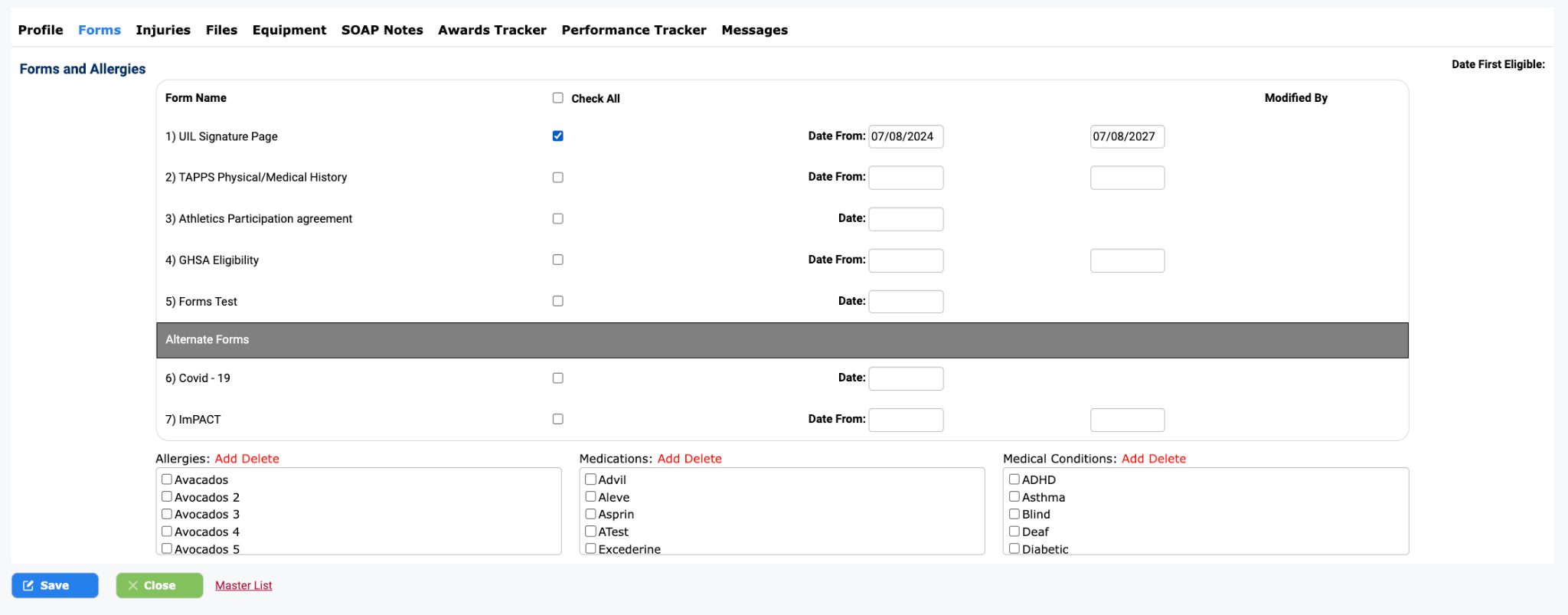
The student's Forms tab where you can check off completed forms
After saving, you will be redirected back to the Master List where you can continue to the next student.