 Rank One Pro
Rank One Pro
Rank One Pro
This tutorial walks you through the process of checking or approving a form requirement for a student using Forms Entry Mode on the Master List.
Hover over Student Management and select "Master List".
Click the "Forms Entry Mode" button on the Master List toolbar.

The Master List toolbar showing the Forms Entry Mode button
Enter either the Last Name or ID number of the student in the search fields, and then click "Show".
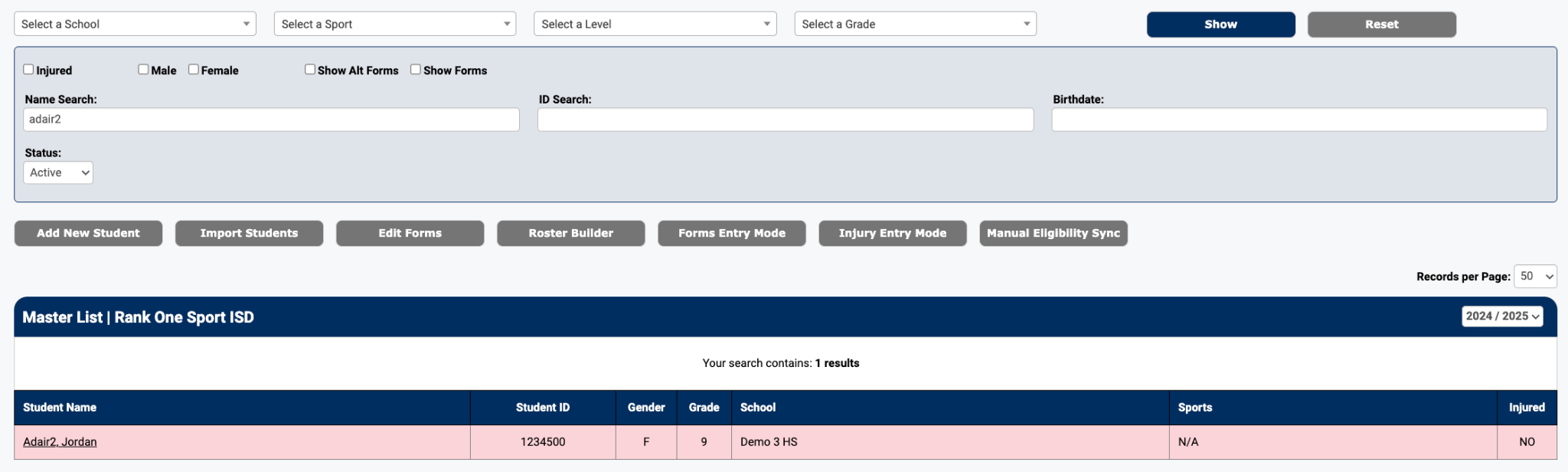
Search results displaying the matching student
Click on the student's name. The selected athlete's forms page will be displayed.
Click the checkbox for the form requirement being approved.
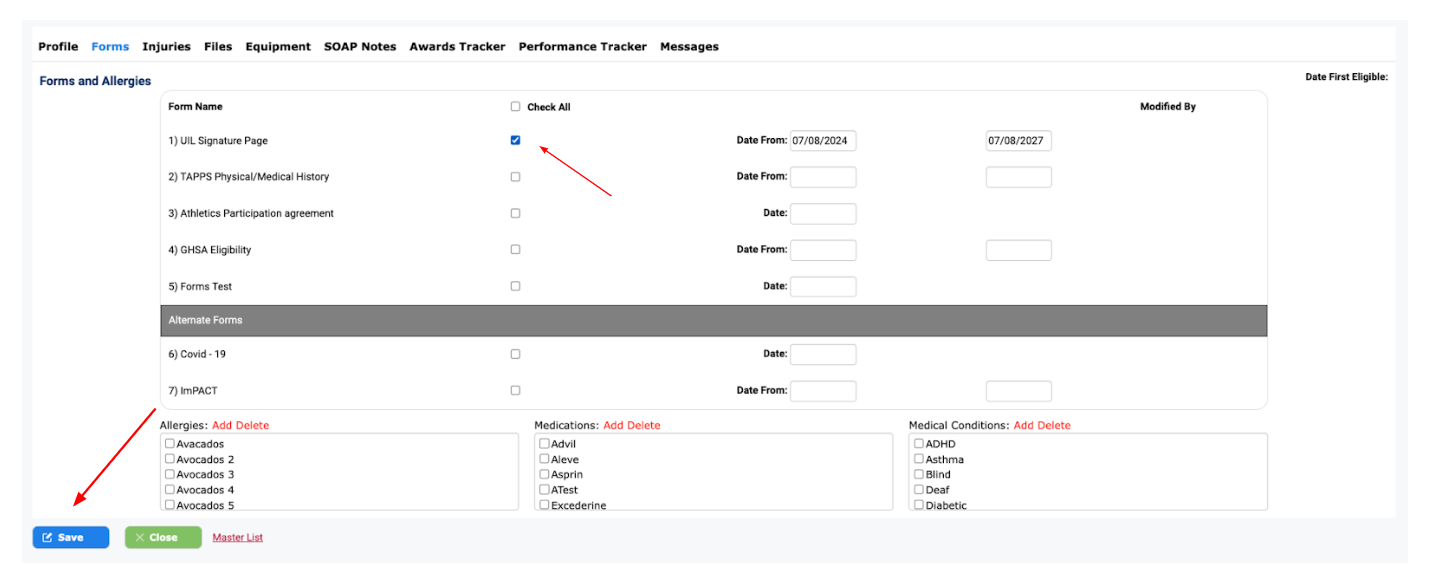
The student's Forms tab with checkboxes and the Save button
Click Save to confirm the form approval. You will be returned to the Master List to continue with the next student.