Rank One Pro
Rank One Pro
Rank One Pro
Follow the steps below to issue a refund for a Credit Card or Cash/Check payment.
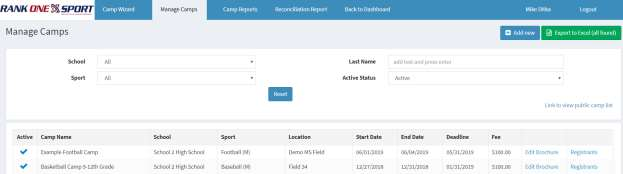
Select Manage Camps at the top of the page. Choose the School and Sport of the camp you wish to look at, then click Registrants next to the appropriate camp.
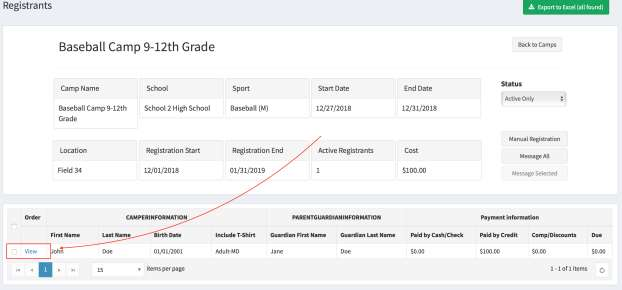
You will see the camp information and a list of registrants. Find the student you need to refund and click View on their line.
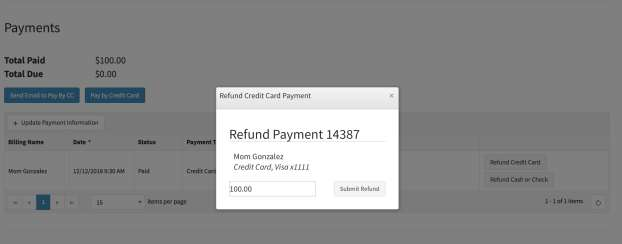
When you select "View," the camper's information appears at the top of the page. Scroll to the bottom to see the payment information. The payment method used and the refund options (Refund Credit Card or Refund Cash or Check) will be displayed in the table.
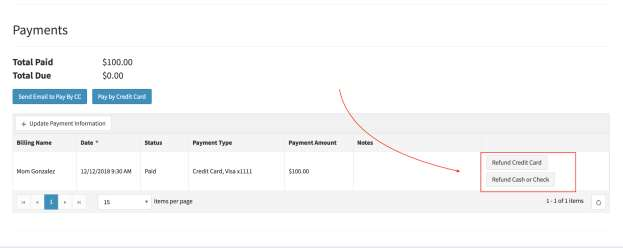
Click the appropriate refund option, enter the amount you would like refunded, and click Submit Refund to complete the process.
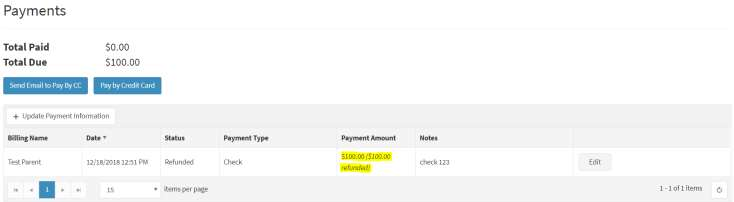
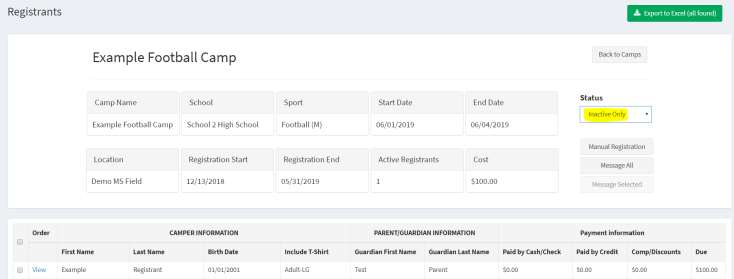
After submitting the refund, the payment information will be updated to show that the payment was refunded. The student will automatically be placed on the INACTIVE registrant list.