 Rank One Pro
Rank One Pro
Rank One Pro
This tutorial explains how to add students from an elementary school to a middle school sports roster, or from a middle school to a high school sports roster. This is useful when building rosters that pull athletes from feeder schools.
Hold your cursor over Athlete Management (or Student Management) in the left-hand navigation menu and select Manage Rosters.
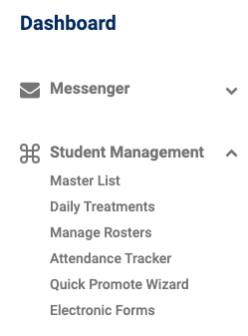
The Student Management menu with Manage Rosters highlighted.
In the School(s) dropdown, select both schools by clicking on each one. Both schools should be highlighted in the selector.
After both schools are selected, continue to choose the Sport, Level, and Team.
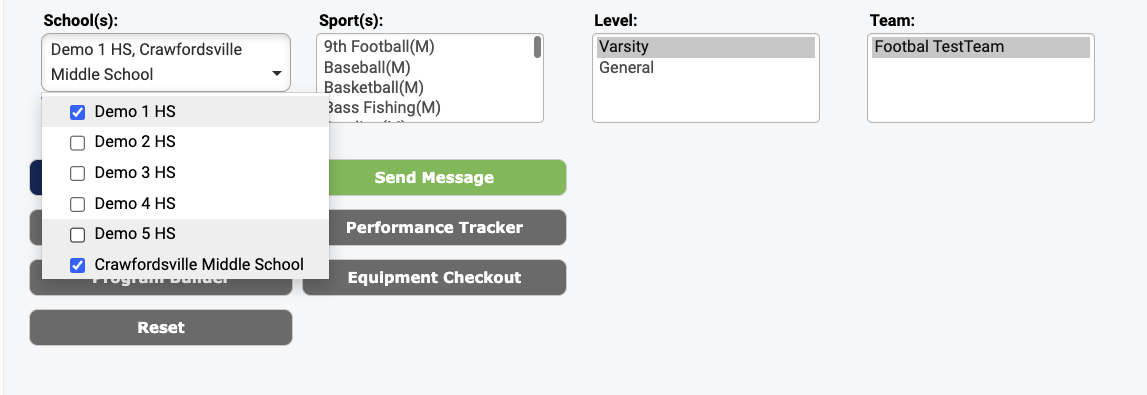
Selecting multiple schools from the School(s) dropdown.
Click Build Roster. Students from both schools will populate the list. Place a check in the "Add to Roster" box next to each student you want to add from either school.
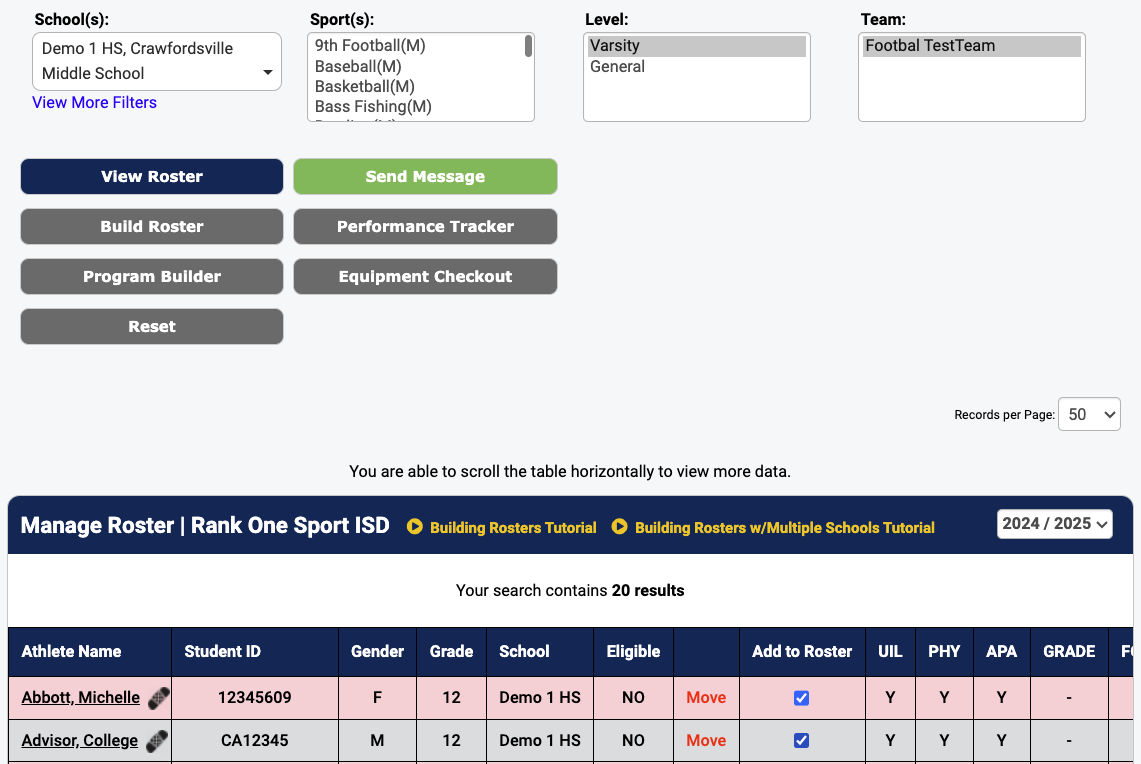
The roster builder displaying students from both selected schools.
The Athlete Report Generator will display rosters with students from multiple schools, but only if both schools have been selected from the school list. Use the same multi-select method described in Step 2 above when generating reports.