This tutorial shows you how to copy and reuse camp brochures from the previous year, making it much faster to set up your summer camp brochures for the current year.
1
Navigate to Manage Camps
- Hold your cursor over the Camps tab and select Manage Camps from the dropdown menu.
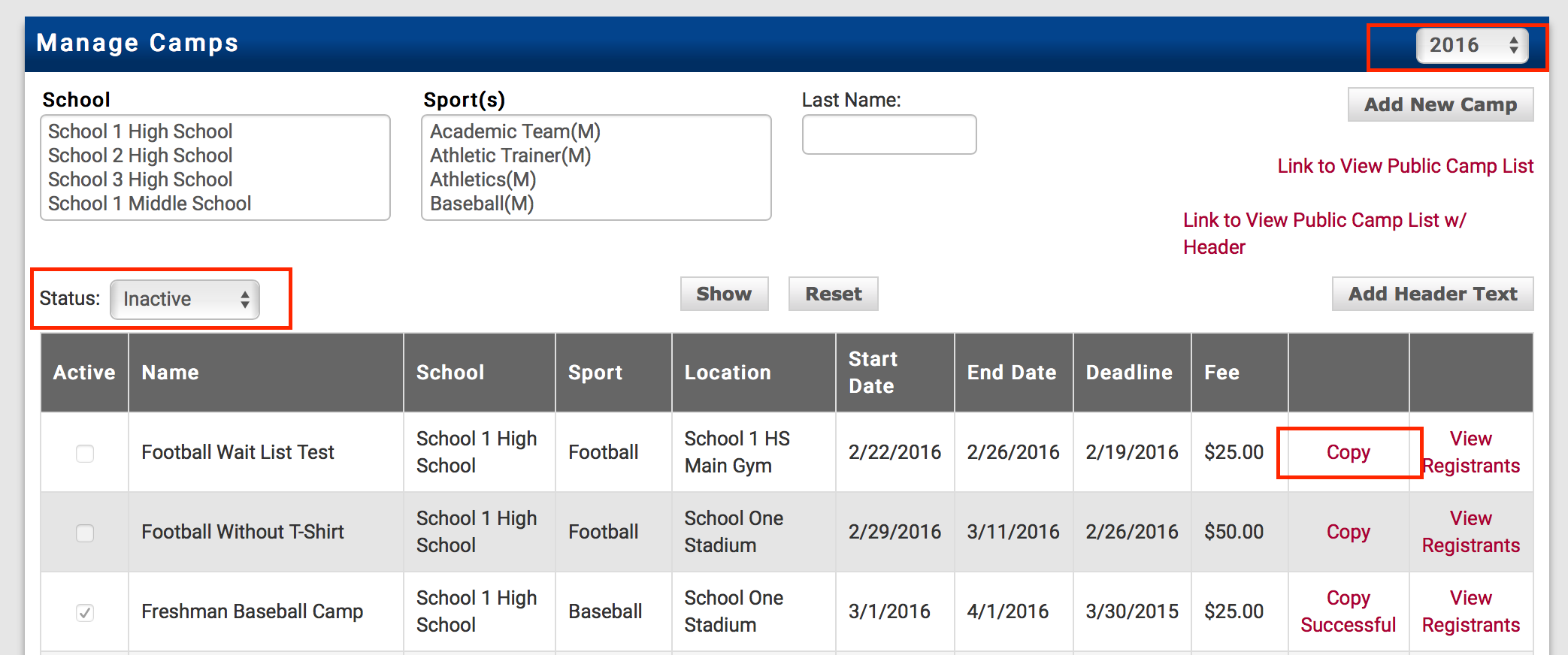
- Change the year to the previous year (e.g., 2025).
- Set the status to Inactive — this will bring up your list of camps from last year.
- Click the Copy button on the right-hand side of the camp you want to reuse.
2
Update Camp Dates
- Change the dates to reflect the current year's camp schedule.
- Scroll to the bottom of the page and click the Copy Camp button.
 Rank One Pro