 Rank One Pro
Rank One Pro
Rank One Pro
The system can be used to track and notify coaches that a particular student has eligibility issues and can NOT participate at the Varsity Level. The student may still be added to a varsity level roster.
From the Athlete Management tab, select the "Master List". Select the school and enter the student's Name or ID number.
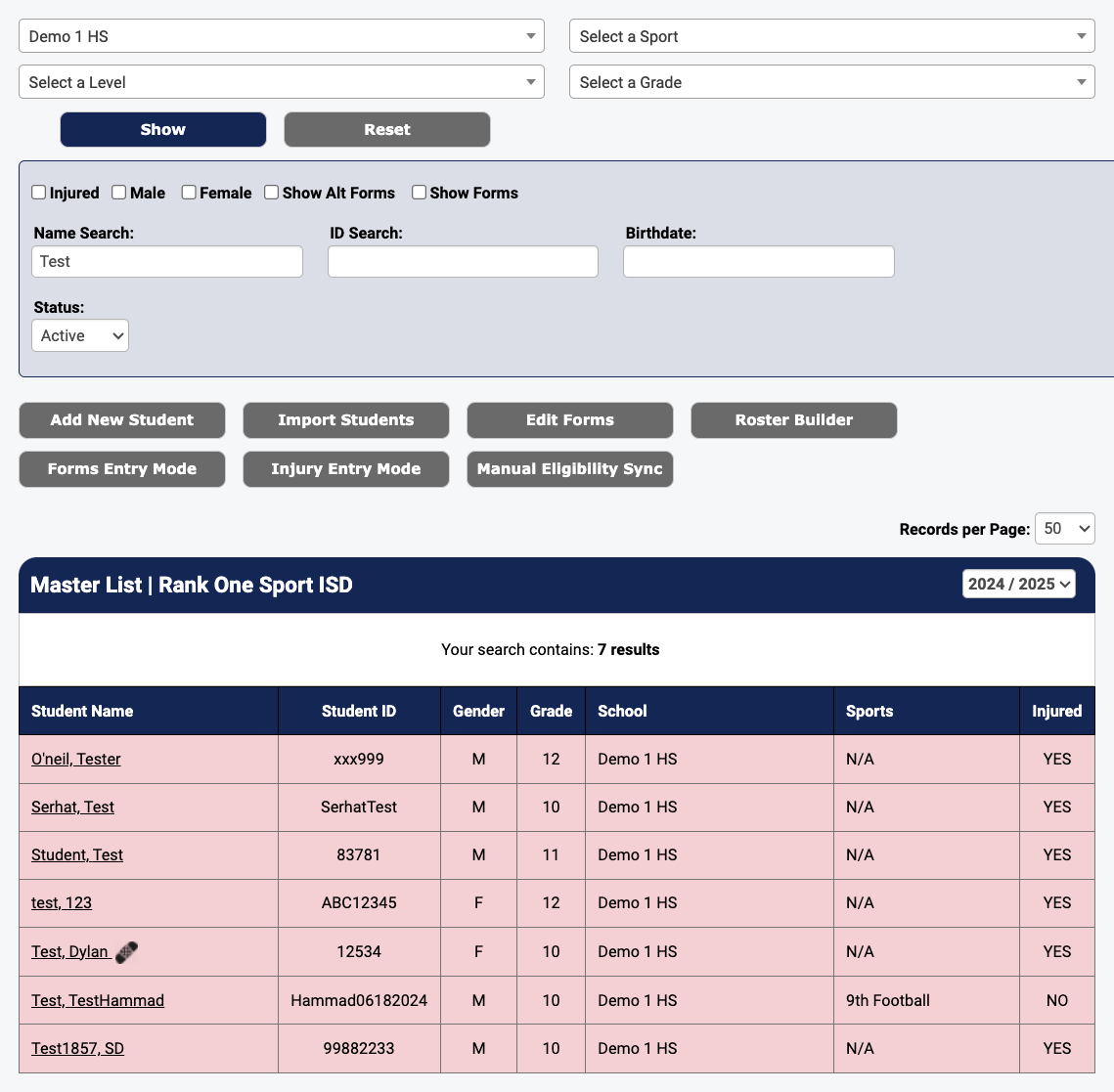
The Master List with search results displayed
Click on the student's Name. Select the "EDIT" button. Place a check in the "Not Eligible to Play on Varsity" checkbox. Select the Save button.
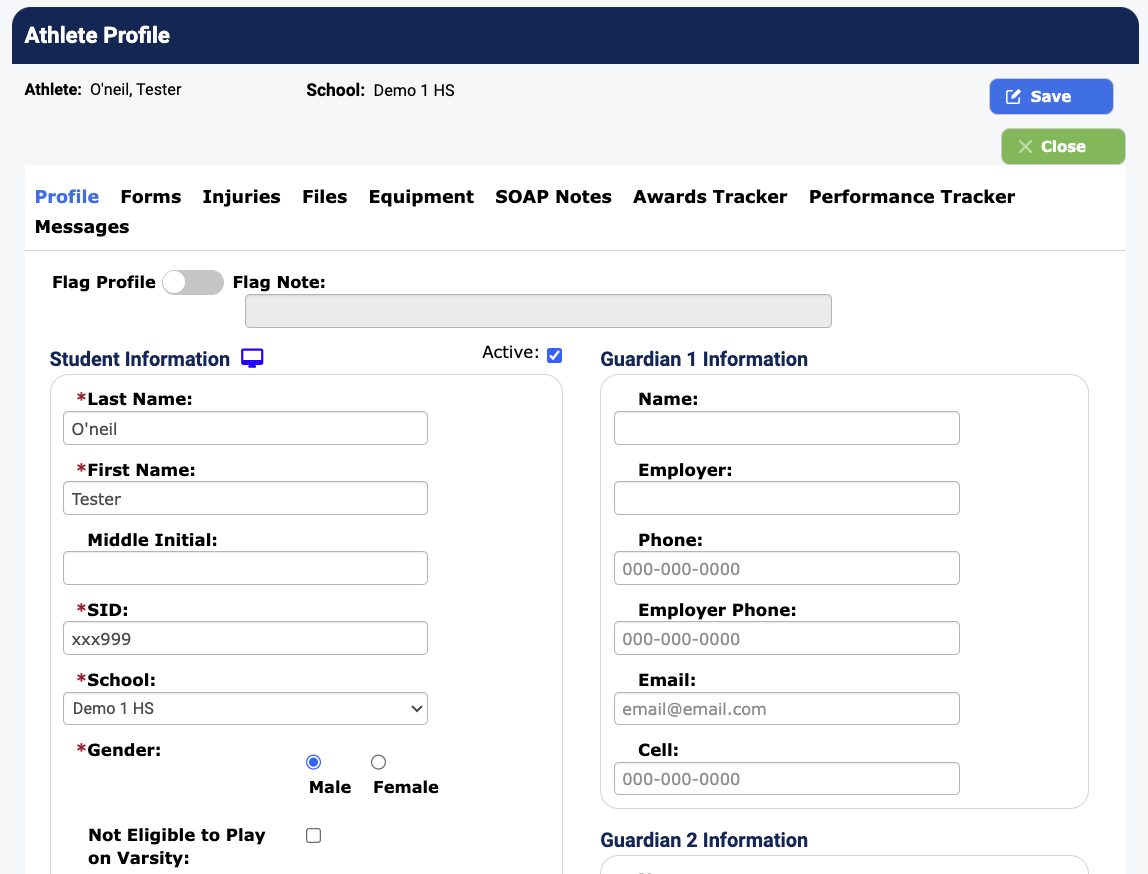
The "Not Eligible to Play on Varsity" checkbox is located near the bottom of the Student Information section
The student will have an ineligible icon next to their name on both the Master List and on the Manage Rosters tab.

The ineligible icon appears next to the student's name
The icon will remain until an admin unchecks the "Not Eligible to Play on Varsity" checkbox on the student's profile.